Colour grading
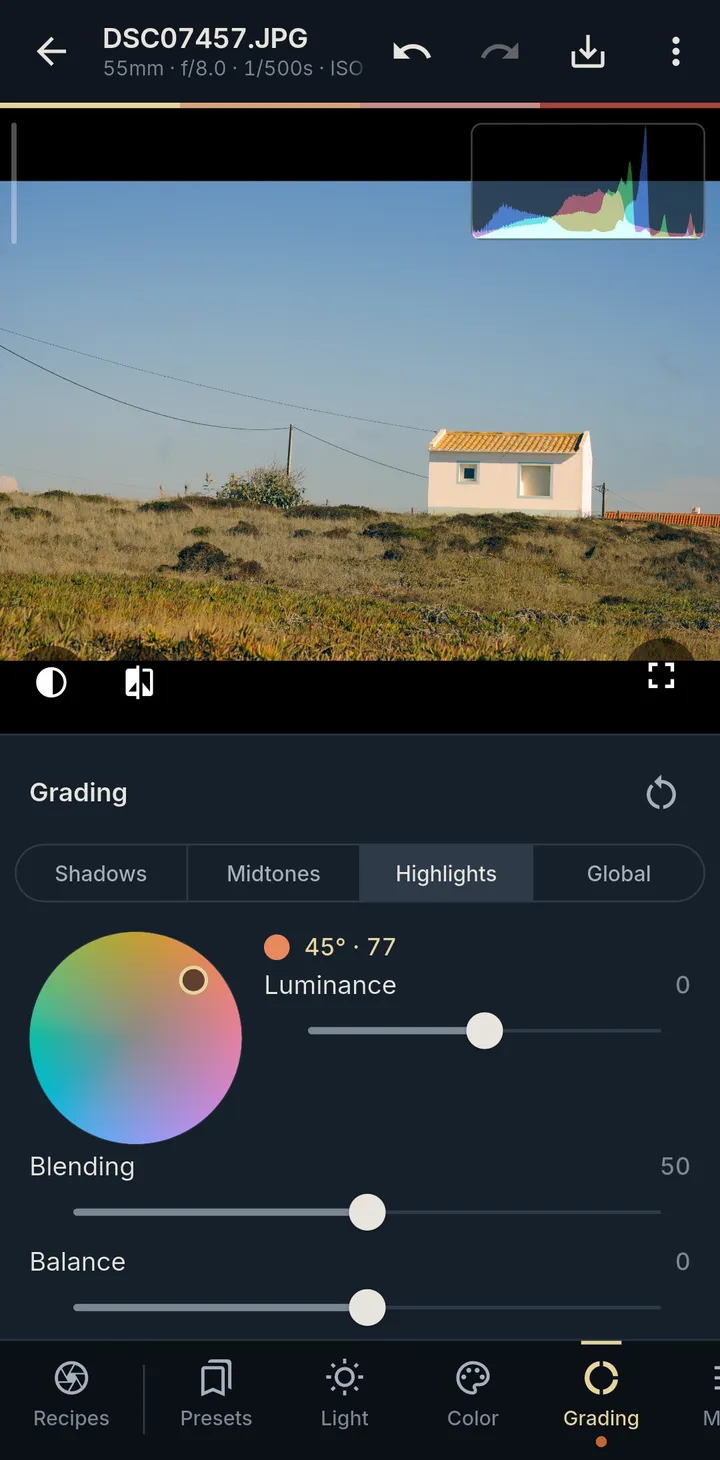
Wheels for shadows, midtones, highlights and the whole photo, with blending and balance.
Your RAWs, developed on your phone with the Recipe Lab looks, film grain and mist.
Early bird price

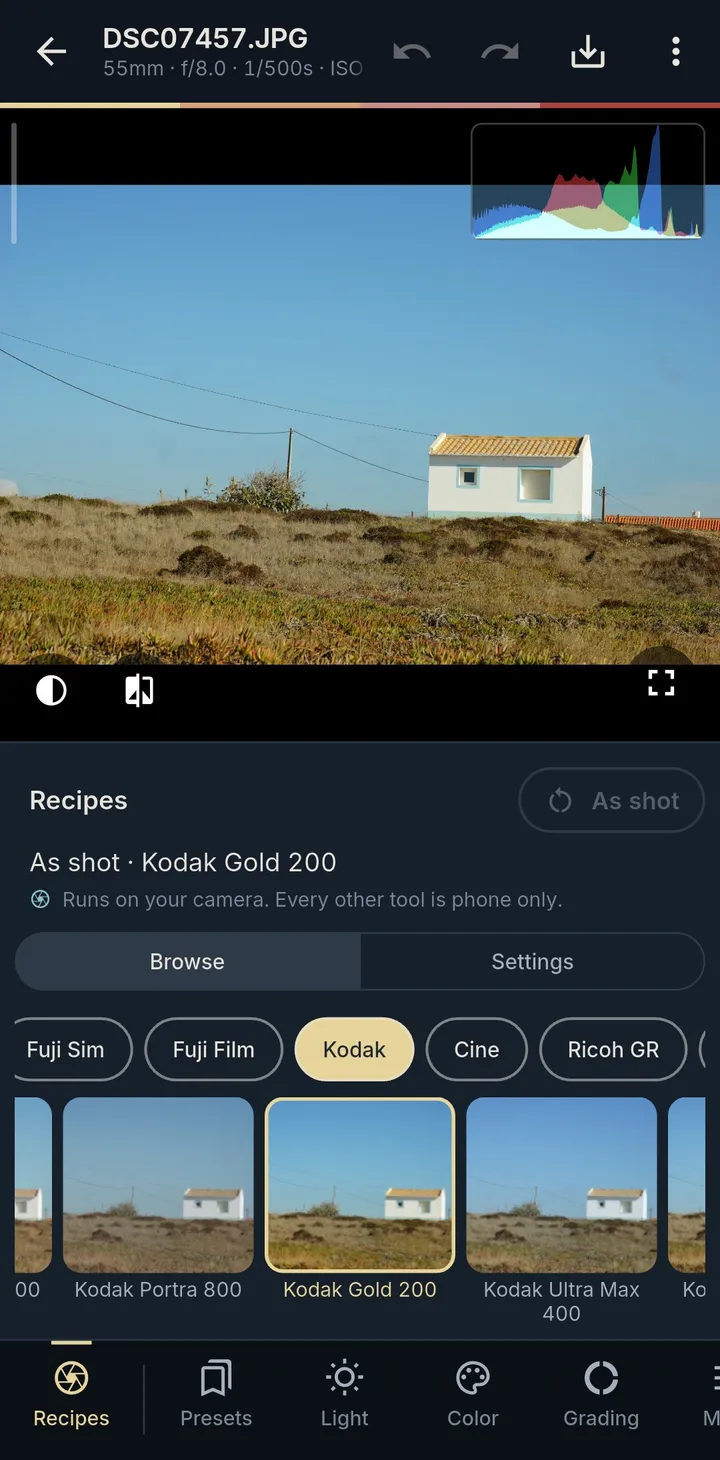
01 Film looks
Every Recipe Lab look is in Studio, one tap away, inspired by classic film stocks and cameras. Save your own looks, and copy settings from one photo to the next.
Sync recipes swaps your own recipes with the camera over Wi-Fi, so a look you make on the phone is there when you shoot.
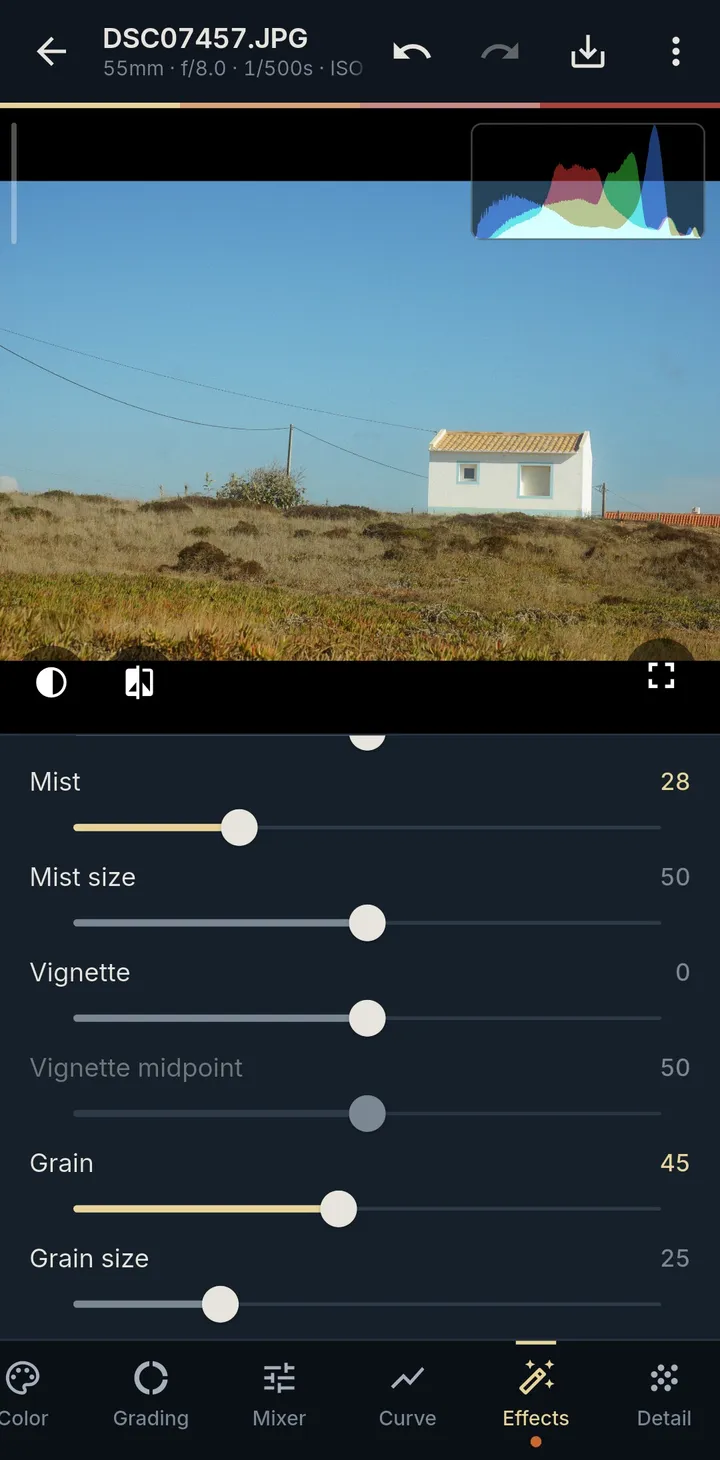
02 Grain and mist
The two finishing touches people kept asking the camera app for, done properly on the RAW.
Amount, size and roughness, sized in real pixels, so the export matches what you saw.
The soft glow of a diffusion filter around your highlights, with its own size.
Plus clarity, texture, dehaze and vignette.
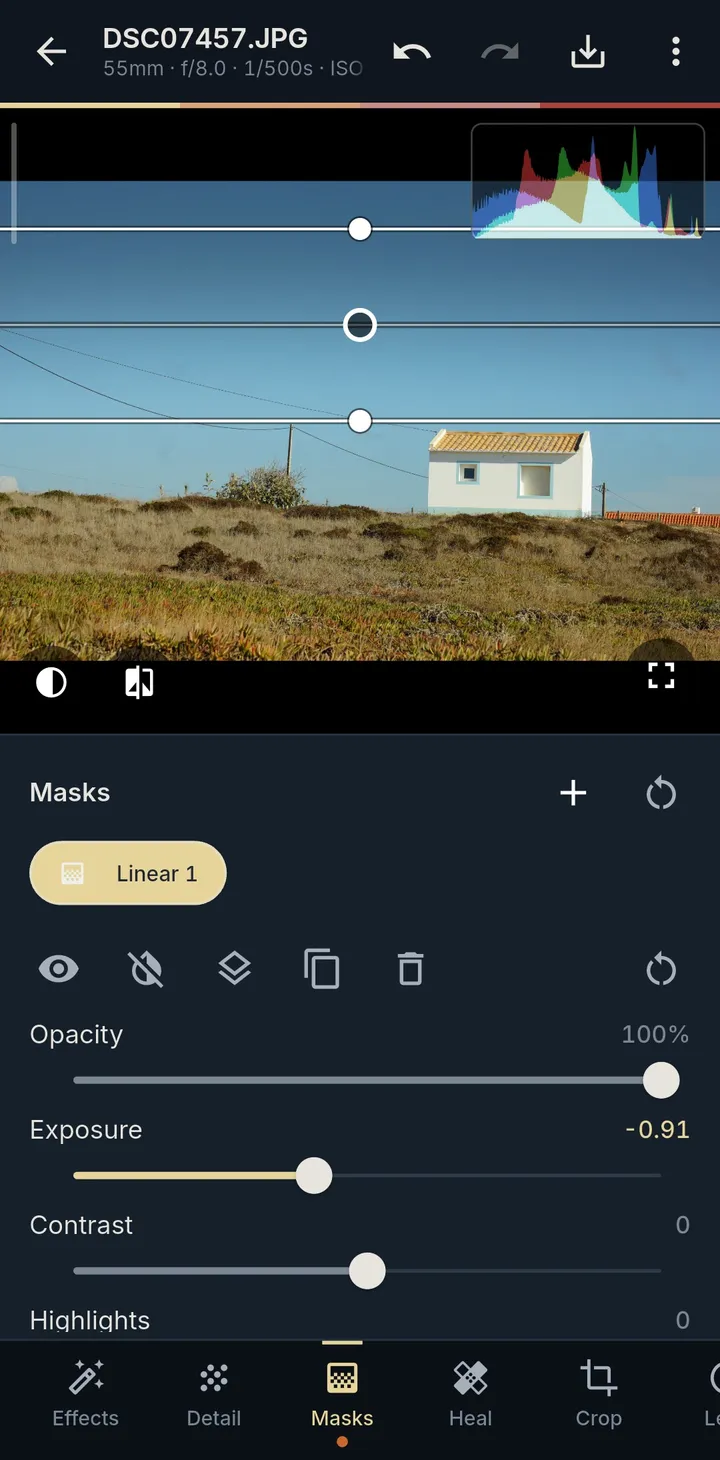
03 Pro tools
The tools of a desktop editor, made for a touch screen. Nothing extra to unlock.
Wheels for shadows, midtones, highlights and the whole photo, with blending and balance.
Linear and radial gradients with their own sliders, dragged right on the photo.
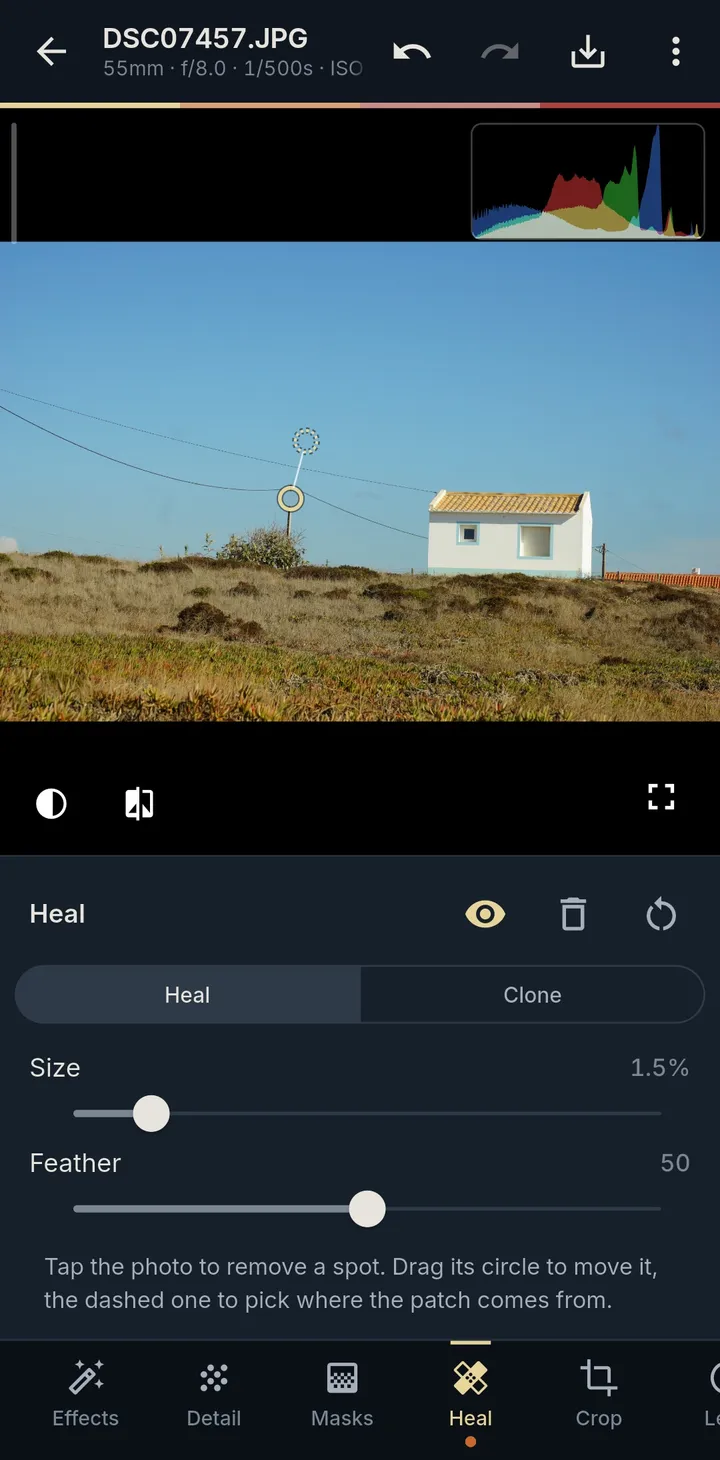
Tap to remove dust, wires and distractions. Drag to pick where the patch comes from.
A tone curve for RGB and each channel, and hue, saturation and luminance for eight colour ranges.
Double-tap for 100 %, pinch to 200 %, to check focus and grain.
Read from every RAW and set as the camera set them, so an unedited RAW matches the camera's own JPEG.
04 Import
Bring photos in whichever way suits the moment, and pick RAW or JPEG when a shot was recorded as both.
Pay once
Replace your photo editing app with one purchase. No monthly fee, no yearly plan, no feature locked behind a tier.
05 Develop
06 FAQ
No. Studio opens photos from your phone's files and Photos library, and from the camera over USB on Android. The free camera app adds the wireless transfer and recipe sync, on Sony cameras that run PlayMemories apps.
Sony ARW first: Studio is built and tested on the A6000. It also opens RAWs from Canon, Nikon, Fujifilm, Panasonic, Olympus/OM, Pentax, Samsung, Hasselblad and Phase One, DNG including Apple ProRAW, JPEG and HEIC. The Wi-Fi import works only with the Recipe Lab camera app; from any other camera, move the files to your phone with its maker's app first, then edit them here.
No. You pay once in the App Store or Google Play and every tool is included. No account, no tiers, no monthly fee.
Both, on phones and tablets. Importing over a USB cable works on Android only; on iPhone and iPad bring photos in over Wi-Fi or from Photos and Files.
Never. Edits are kept next to the original, and an export is a new full-size JPEG that keeps the camera, lens and exposure details.
No. Your photos, edits and recipes stay on your phone. The app sends crash reports, which you can turn off, and usage statistics only if you allow them. The privacy policy has the details.
On iPhone, iPad and Android. One payment, every tool.